Accessibility for everyone
A map accessible to everyone.
ownMap calculates step-free routes across your indoor and outdoor plans: lifts, ramps, gentle slopes, accessible restrooms — so every visitor, whatever their disability, can find their way independently.
Why accessibility changes everything
A requirement that becomes a real advantage
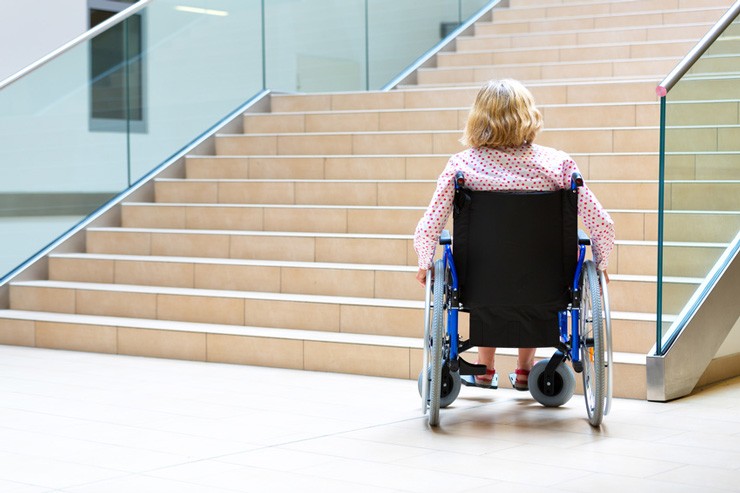
Making a campus, town hall or healthcare facility accessible to everyone — people with reduced mobility, visual impairments or fine motor difficulties — is no longer optional: it’s a strong expectation from users and, for many institutions, a legal requirement. The problem is that accessibility information — where the lift is, which door is adapted, which route avoids the stairs — too often lives in the heads of a few staff members, or on a PDF floor plan that can’t be searched.
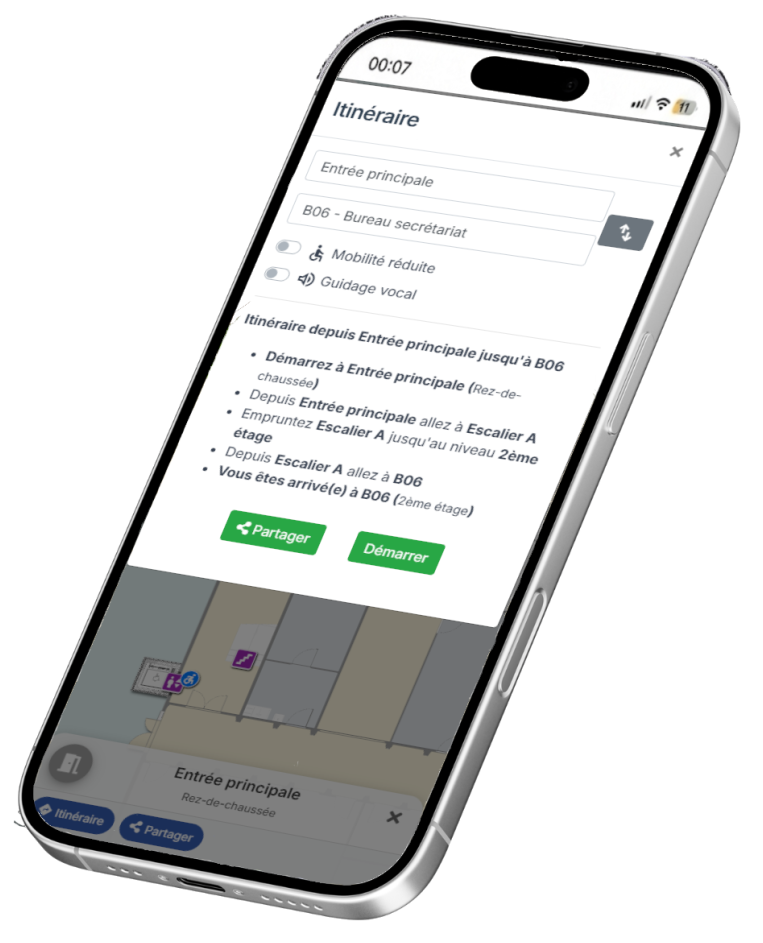
ownMap builds accessibility directly into the interactive mapping engine: routes filtered to avoid stairs, voice guidance for visually impaired users, button-based navigation for those with fine motor difficulties. Your visitors with disabilities no longer need to ask for directions — the map does it for them, independently.
This approach reflects our broader positioning: hosting in France, built-in GDPR compliance, and a solution that complements the facilities-management tools already in place at your institution. You can find out more on our contact page or check our pricing directly.
Features
Accessibility, designed down to the details
Accessibility isn’t a box you tick afterwards: it’s a set of filters built natively into the ownMap engine — reduced mobility, visual impairment, fine motor difficulties.
Step-free routes, no obstacles
Every accessible route automatically favours lifts, ramps and level paths, excluding steps and stairs.
Accessible facilities flagged
Lifts, adapted restrooms, accessible parking spaces, automatic doors: every facility is located and clearly marked on the map. Useful details, such as access codes or where to collect a key, are shown right when they’re needed.
Voice guidance
Alongside accessible routes, voice guidance walks visually impaired users through each step, with no need to read the map on screen.
Button-based navigation
The map can be fully controlled with buttons, with no touch gestures required — useful for users with fine motor difficulties or on public-access kiosks.
Updates with no developer needed
A lift out of order, a temporary ramp: your teams can update accessibility data in a few clicks, with no technical help required.
Accessibility audit
Calculating accessible routes helps surface locations that aren’t accessible — a first step toward planning facility improvements.
Getting started
Three steps to an accessible map
No GIS data, no development: start from the floor plan you already have.
01 · Map your accessibility points
Locate lifts, ramps, accessible restrooms and adapted parking spaces directly on your plan. A single setting is all it takes to define accessibility.
02 · Turn on accessibility modes
ownMap’s routing engine automatically generates accessible routes, voice guidance and button-based navigation, with no complex setup.
03 · Publish a map accessible to everyone
Link, QR code, or a public portal in your own branding: your accessible map is live, ready to guide every visitor.
Compliance and rigour, by design
Accessibility isn’t bolted on afterwards: it’s built into ownMap’s technical and regulatory foundations, designed for public institutions.
- Hosting and data in France, with built-in GDPR compliance
- Accessible routes calculated using real accessibility criteria (slope, level changes, width)
- An approach aligned with the RGAA, France’s official digital accessibility standard, published by DINUM (the French Interministerial Digital Directorate)
- A solution that complements your existing facilities-management tools (CMMS, Gescime, etc.)
- ownMap is listed with the Groupe Logiciel – ESR, the procurement body of the French Ministry of Higher Education
Who it’s for
One accessibility engine, three use cases
Universities & graduate schools
Students and visitors with reduced mobility guided to lecture halls, libraries and lifts, with no need to ask for directions.
Local authorities & municipalities
Residents directed to accessible entrances at town halls, schools and municipal sports facilities.
Healthcare facilities
Patients and visitors guided to accessible entrances, departments and lifts, with less stress along the way.
Trusted by
Universities and local authorities already accessible with ownMap







Make your site accessible to everyone.
Let’s talk about your accessibility project — no strings attached.